Advanced quantitative imaging has become part of everyday practice. Managing it hasn’t kept up. Too often, checking a study means a phone call, proving value means a spreadsheet, and adding a new user means a support ticket.
Cortechs Connect changes that. It is a single, secure cloud workspace for every Cortechs.ai application your site licenses. One sign-in gives your team clear control of the account, a live picture of usage, and an instant answer to the question everyone asks: is my report ready?
Run your account on your terms
Cortechs Connect puts administrators in charge. Everything that defines your site lives in one settings area, organized into four simple tabs:
- Site Identity: your site details, shown on every report your team delivers.
- Reporting: report preferences and output options, set once and applied everywhere.
- Connectivity: utilize and manage Microsoft 365 login for your organization.
- Licensing: every product your site is licensed for, with reports used against each.
Managing your team is just as direct. Add new staff, update their details, or deactivate an account in a few clicks, without waiting on anyone. Users can sign in with their organization’s Microsoft 365 account, which means one less password to manage.
Behind the scenes, Connect is built for healthcare. Each site’s patient data is kept in its own dedicated database, separate from every other customer, and every job records who submitted it for clear accountability.
See the value, and show it
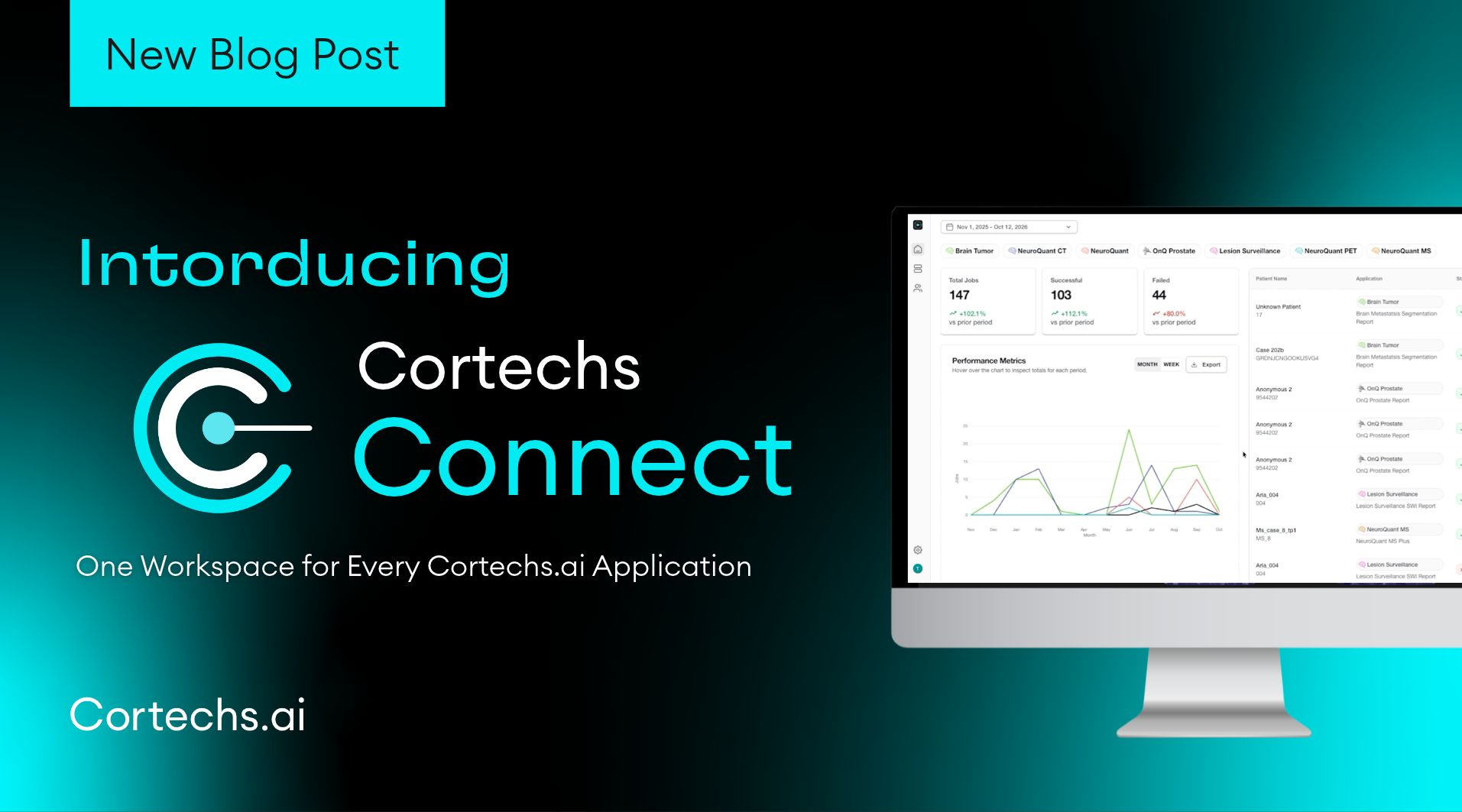
Every imaging leader eventually gets asked the same thing: what are we getting from this? The Connect dashboard answers it at a glance.
How much is my site using? Total jobs for any date range, filtered to a single product with one click, show utilization across every licensed application.
Which reports matter most? Monthly and weekly trend charts reveal which applications your clinicians rely on, and where there is room to grow adoption.
How reliable is our workflow? Successful and failed jobs are compared against the prior period, so a change in quality stands out before it becomes a problem.
When it’s time for a budget review, a service-line report, or a board update, export the data in seconds. No more stitching together numbers from emails and spreadsheets: the story of your investment is already drawn for you.
Know where every study stands
The Report Finder turns “has anyone seen my report?” into a two-second check. Every job carries a clear, color-coded status, such as Processing complete, Queued for retrieval, or DICOM error, so anyone on the team can see what’s ready and what needs attention.
Expand any study to see every job run against it: who submitted it, the report type, and when it started and finished. Open the report directly from the same row.
And when something does go wrong, the answer is right there. Filter by status, see exactly which series were sent, correct the input, and re-run the job from the same row, with no need open a support ticket. Fewer calls, faster turnaround, and more confidence in every result.
Results and images, side by side
Connect also includes an integrated DICOM viewer, so clinicians can open a report next to its source images and segmentation overlays without switching systems. Connect adds tools to refine segmentations with brush and eraser and regenerate the report with updated volumes.†
† Segmentation editing is for investigational use only.
See Cortechs Connect in action
Cortechs Connect is rolling out soon, with onboarding, training, and support from our team every step of the way. Spend less time managing your imaging AI and more time putting it to work.
Come see it at RSNA or contact your Cortechs.ai account manager to find out when your site can get started.